Noida centreIn-person therapy at our Sector 51, Noida centreBook a slot
+91 80777 57951
For psychologists & counsellors

How Choose Your Therapist works for therapists

From your application to your first booking — what you do, what it costs, how much of each session you keep, and the dashboard you run your practice from.

Verifiedprofiles only
Pay afterapproval
70%of every session fee, up to 93%

From application to your first booking

The application takes about 5 minutes. Everything after that happens by email and in your dashboard.

  1. 1Choose a package

    Pick how long you want to be listed — monthly, 6 months or 12 months. Nothing is charged now.

  2. 2Fill in your details

    Name, email and phone, then your practice: profile type, online / in-person, about you, services and location.

  3. 3Upload documents

    Your CV / resume and your highest qualification certificate (keep a photo ID handy too). Takes about 5 minutes; progress is saved on your device.

  4. 4We verify you

    The CYT team checks your qualifications and profile. Only verified psychologists and counsellors are listed.

  5. 5Pay after approval

    Once approved you get an email to pay for your package. You pay only after your profile is approved.

  6. 6Go live and get booked

    Your profile goes live in the directory. Clients book open slots, pay online, and you run the sessions from your dashboard.

What it costs: a listing package

The package is a charge for listing your profile on Choose Your Therapist for the chosen period. You pay only after your profile is approved.

Monthly₹999≈ ₹33 / day · Renew month to month
  • Profile listed in our therapist directory
  • Verified badge on your profile
  • Booking & invoice tools
Most popular6 months₹4,999≈ ₹27 / day · ₹833 / month
  • Profile listed in our therapist directory
  • Verified badge on your profile
  • Priority placement in directory search
  • Booking, invoices, client records & notes
Best value12 months₹7,300≈ ₹20 / day · ₹608 / month
  • Everything in 6 months
  • “Top Pick” badge on your profile
  • Year-long listing, no mid-year renewal

Packages are for listing and visibility. Bookings depend on your profile, availability and client demand. The listing charge is separate from your share of each booking, below.

You keep 70% — and more as you grow

For every session booked through CYT you keep 70% of the session fee and CYT keeps 30% for bringing the client, payments, reminders and support. As you earn achievements your share goes up — 75%, 80%, 85%, up to 93%.

Each session keeps the share it was completed at. If your average rating drops under 4★, CYT's share is 30% until it's back to 4★. CYT never keeps less than 7%.

Example: on a ₹1,000 session you keep ₹700 when you join, and ₹850 at Level 3.

You 70%CYT 30%
When you join Every session booked through CYT
You 75%CYT 25%
Level 1 Rising Star (10 reviews of 4★+) + 25 sessions
You 80%CYT 20%
Level 2 + 100 sessions + Client Favourite (50 reviews of 4★+)
You 85%CYT 15%
Level 3 All CYT achievements
You 93%CYT 7%
Top level +2% for every 100 sessions after that, up to 93%

Inside your therapist dashboard

Everything you need to run your practice on CYT. It works on a desktop, an iPad and a phone.

Screens show a demo therapist with sample data — not real clients.

01

Your dashboard — the day at a glance

  • Next session card with the client, time, mode and a Join button that opens just before the session
  • Today's and upcoming sessions, with WhatsApp / call shortcuts to the client
  • Your numbers: earnings at your share, sessions, new clients and rating
  • A monthly earnings goal, profile views and your latest reviews in one place

On a phone or iPad it works like an app — see “Use it like an app” below.
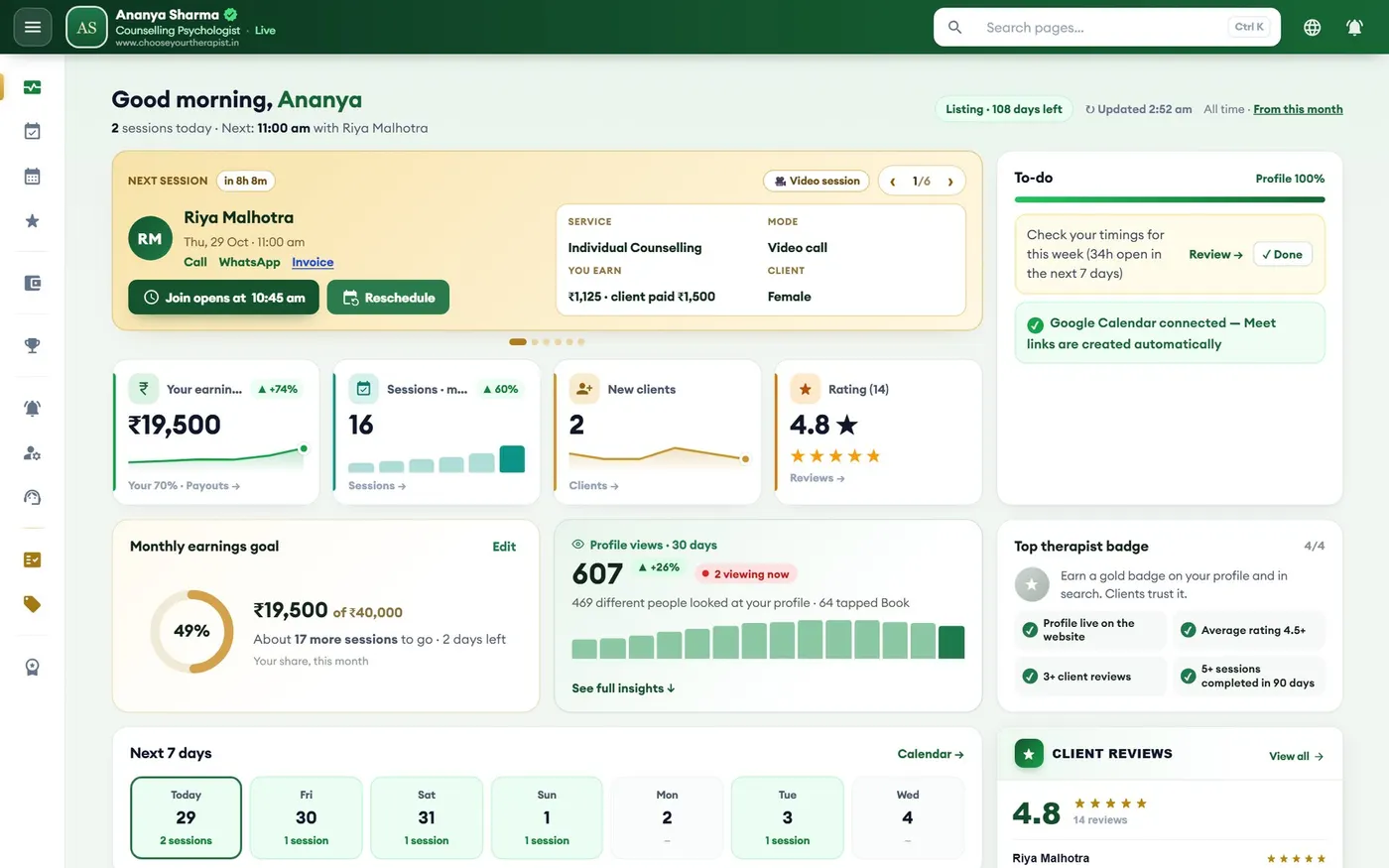
Your dashboard — the day at a glance — Desktop screen (sample data)
Desktop
02

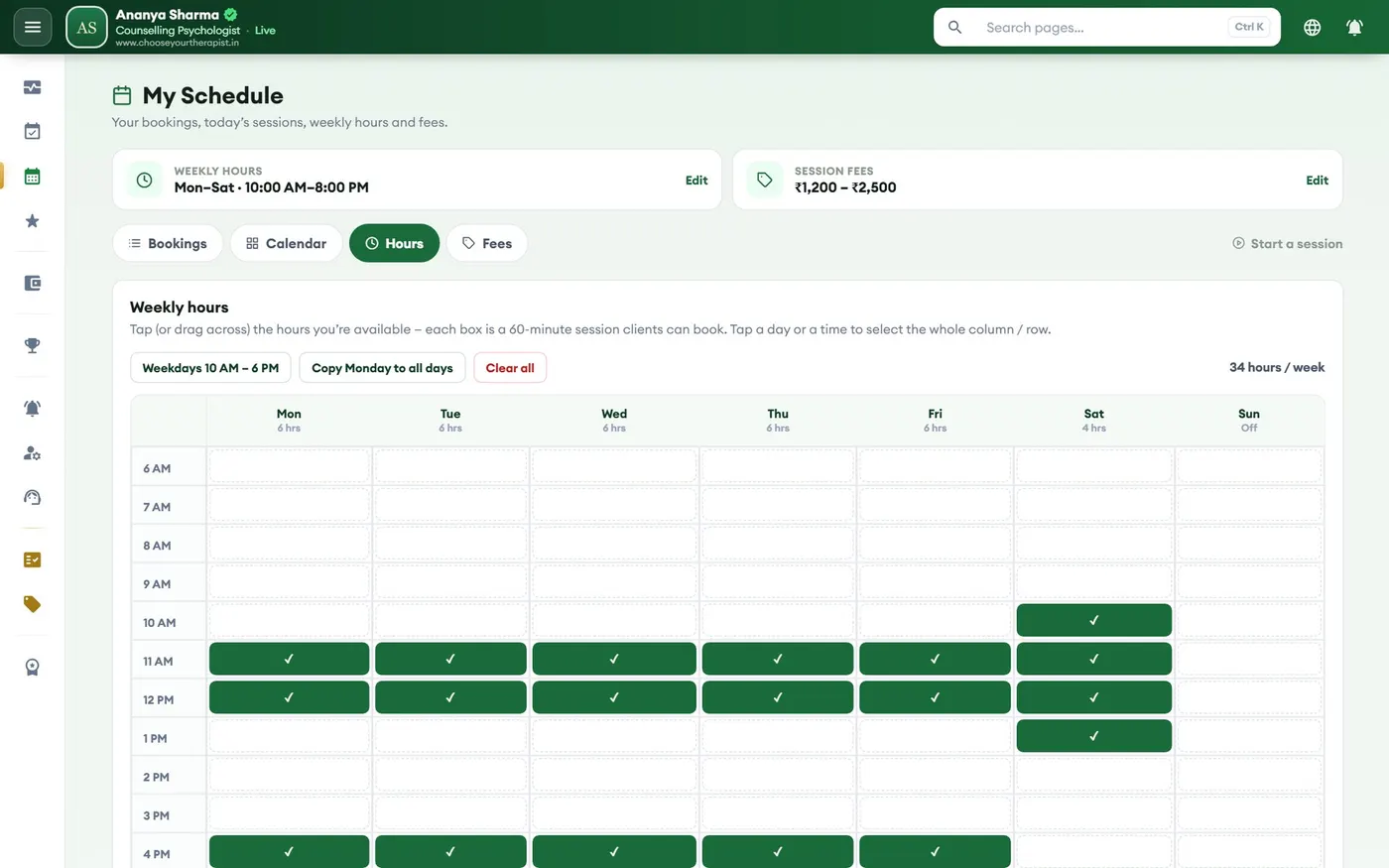
My Schedule — your weekly hours

  • Tap the hours you are free each day of the week — every box is one 60-minute session
  • Clients can only book the slots you open; booked and past slots are blocked for you
  • All times are India time (IST), even for clients booking from abroad
My Schedule — your weekly hours — Desktop screen (sample data)
Desktop
03

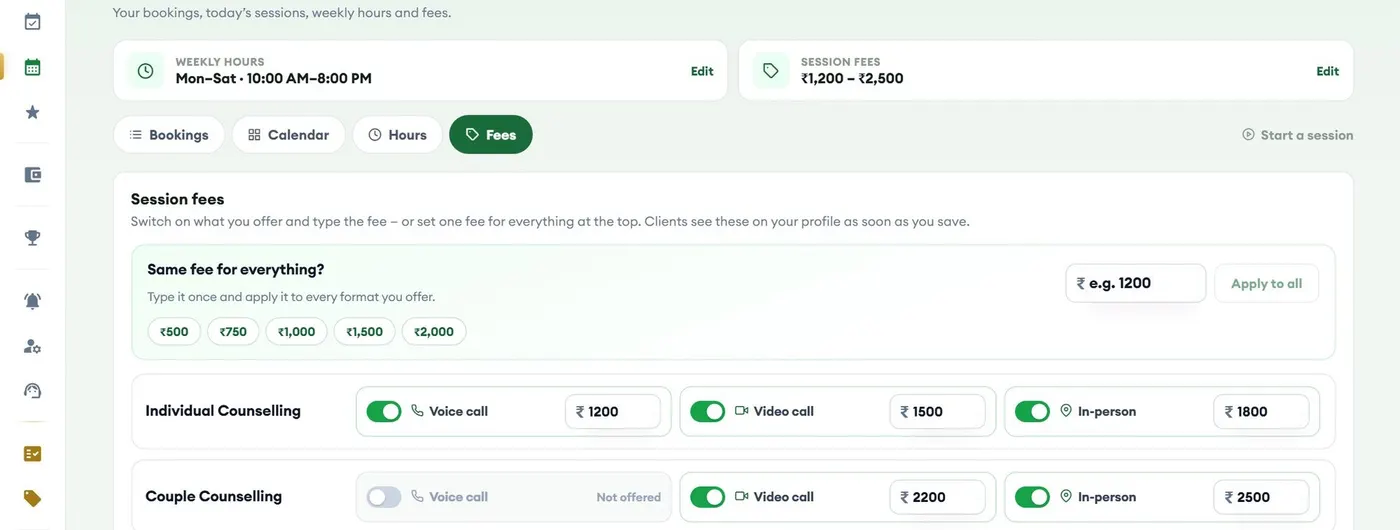
Fees — set your own, on one screen

  • Your fee for each service (for example Individual or Couple counselling) and each mode: video, voice or in-person
  • Turn a mode on or off per service; clients see these fees on your profile and at booking
  • You keep your share of whatever you charge (see below)
Fees — set your own, on one screen — Desktop screen (sample data)
Desktop
04

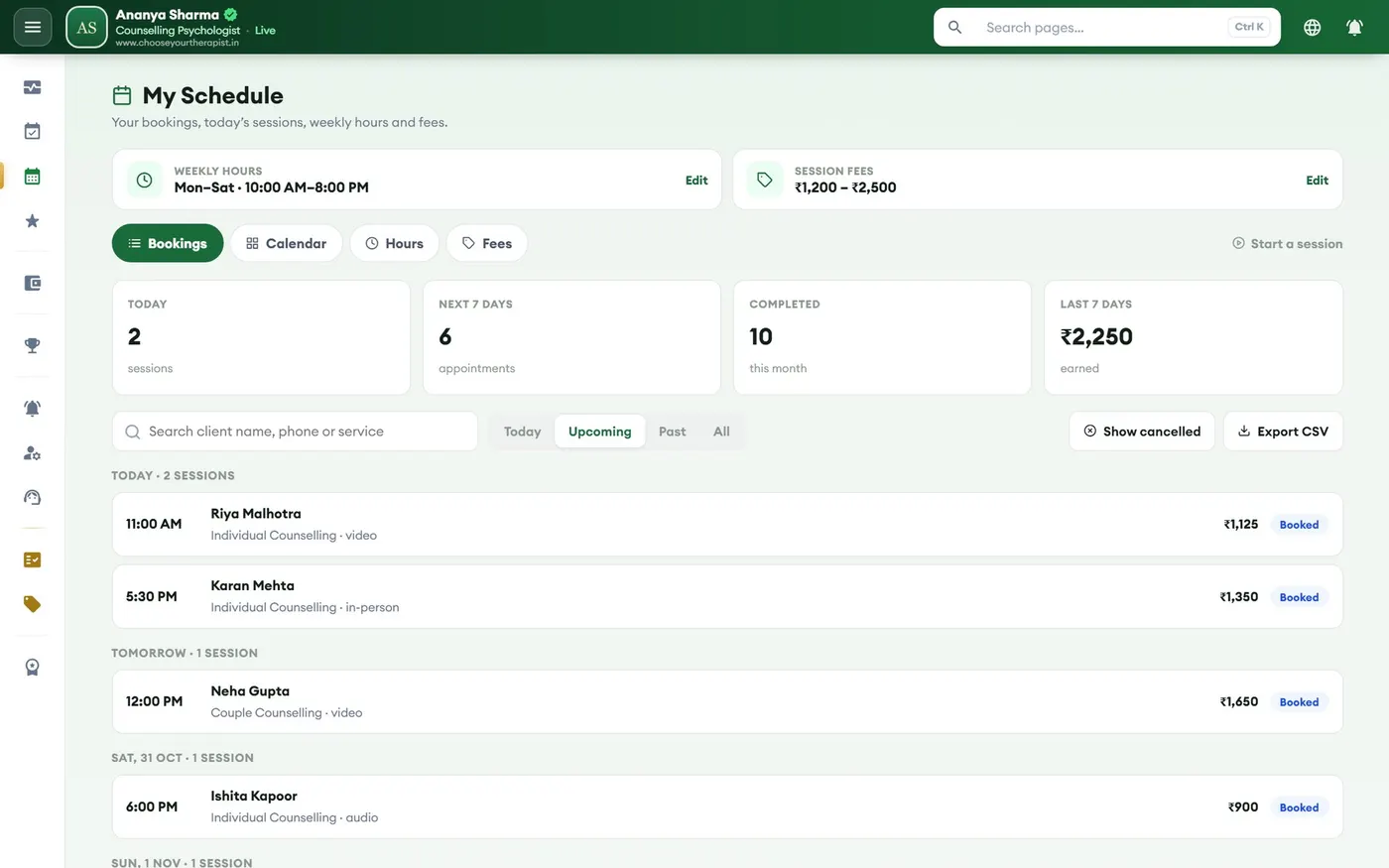
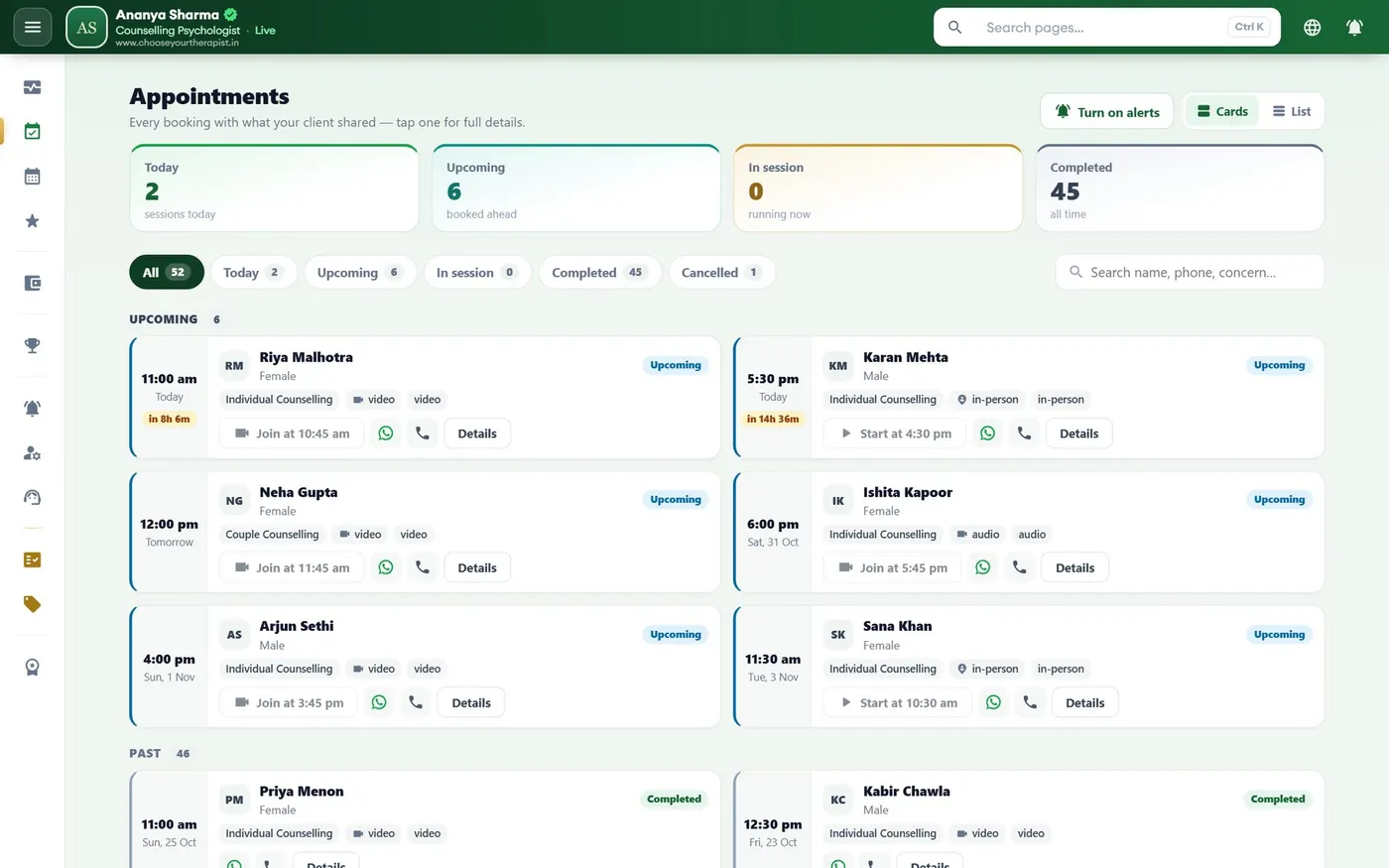
Bookings and appointments

  • Every booking with client name, service, date, mode and the amount paid
  • Today, upcoming, completed and cancelled sessions at a glance, with search and filters
  • Join online sessions (Google Meet links are created for you when you connect Google), start in-person sessions with the client's code, and reschedule when needed
Bookings and appointments — Desktop · bookings screen (sample data)
Desktop · bookings
Bookings and appointments — Desktop · appointments screen (sample data)
Desktop · appointments
05

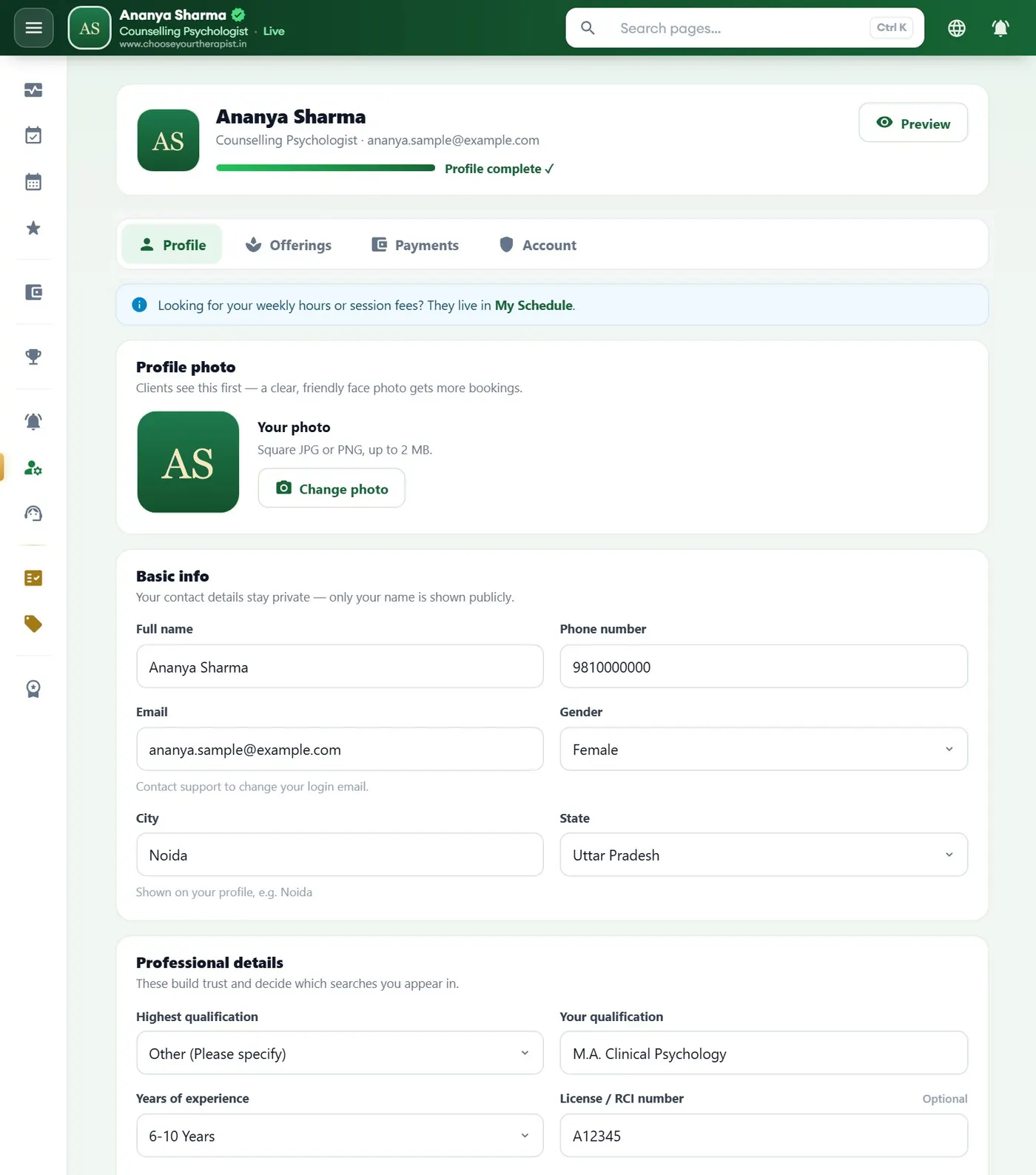
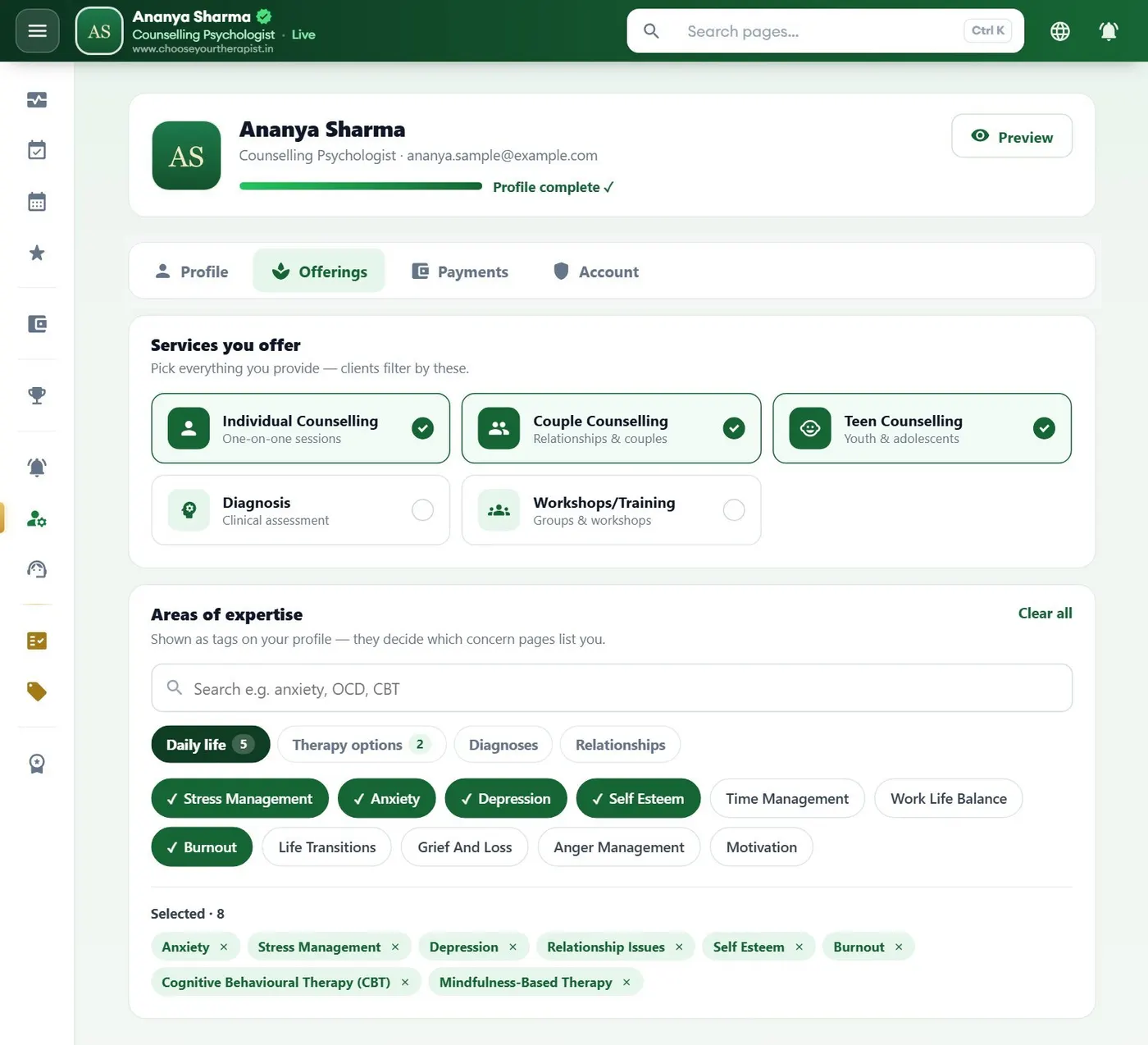
Your profile — what you edit

  • Photo, about you, profile type, qualifications, experience and languages
  • The services you offer and your areas of expertise, so the right clients find you
  • Your practice location pin for in-person sessions — clients see only the area (about 1 km), never your written address
Your profile — what you edit — Desktop · profile screen (sample data)
Desktop · profile
Your profile — what you edit — Desktop · services screen (sample data)
Desktop · services
06

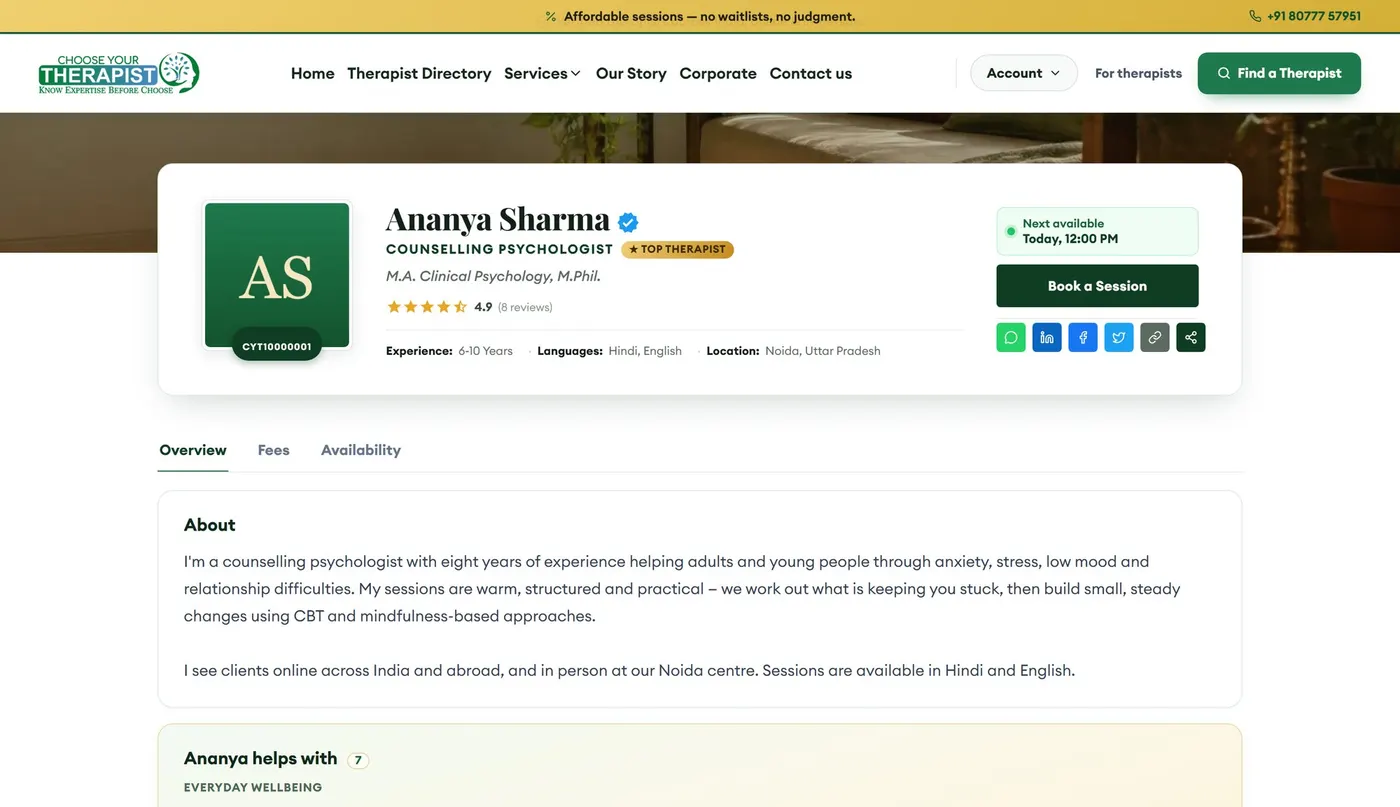
Your public profile — what clients see

  • Verified badge, your next available slot and a Book a Session button
  • About you, the concerns you help with, fees, availability and reviews
  • A clean link with your name and city that you can share anywhere, plus share buttons
Your public profile — what clients see — Desktop screen (sample data)
Desktop
07

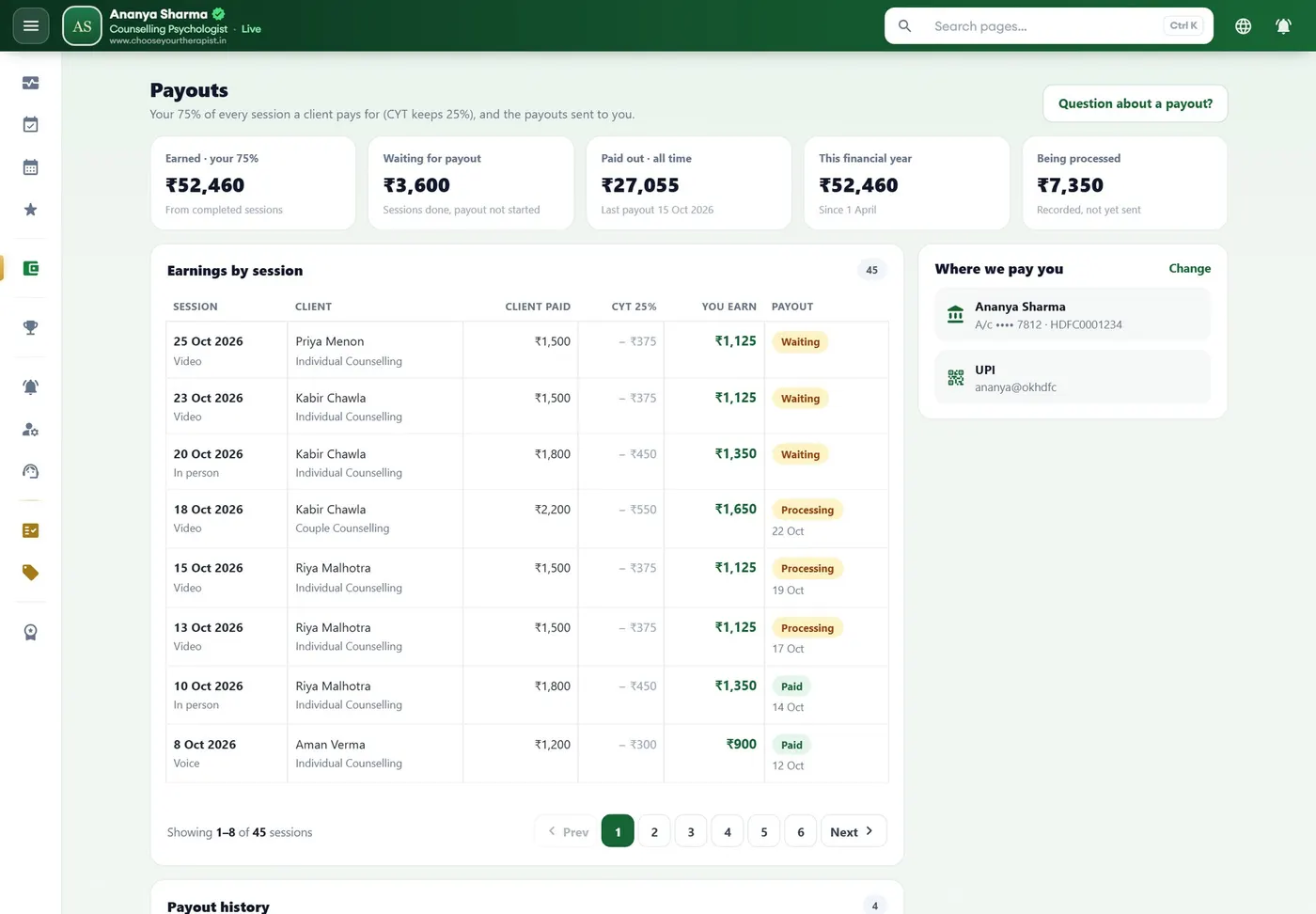
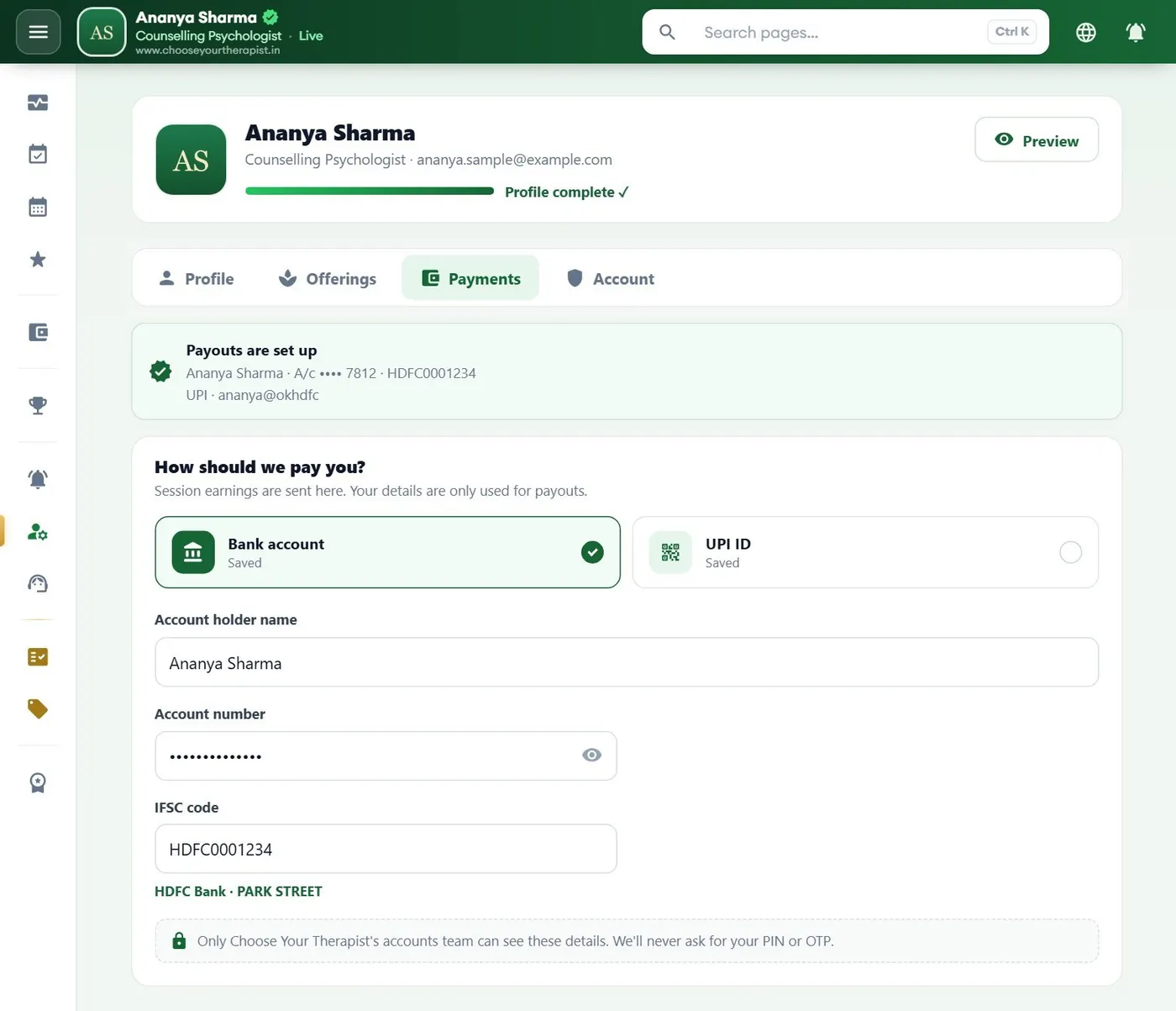
Payments and payouts

  • Clients pay CYT online when they book; your share of every completed session is paid out to you
  • See earnings by session, what is due and what has been paid, with the payment reference
  • Add your bank account or UPI once in your payout details
Payments and payouts — Desktop · payouts screen (sample data)
Desktop · payouts
Payments and payouts — Desktop · payout details screen (sample data)
Desktop · payout details
08

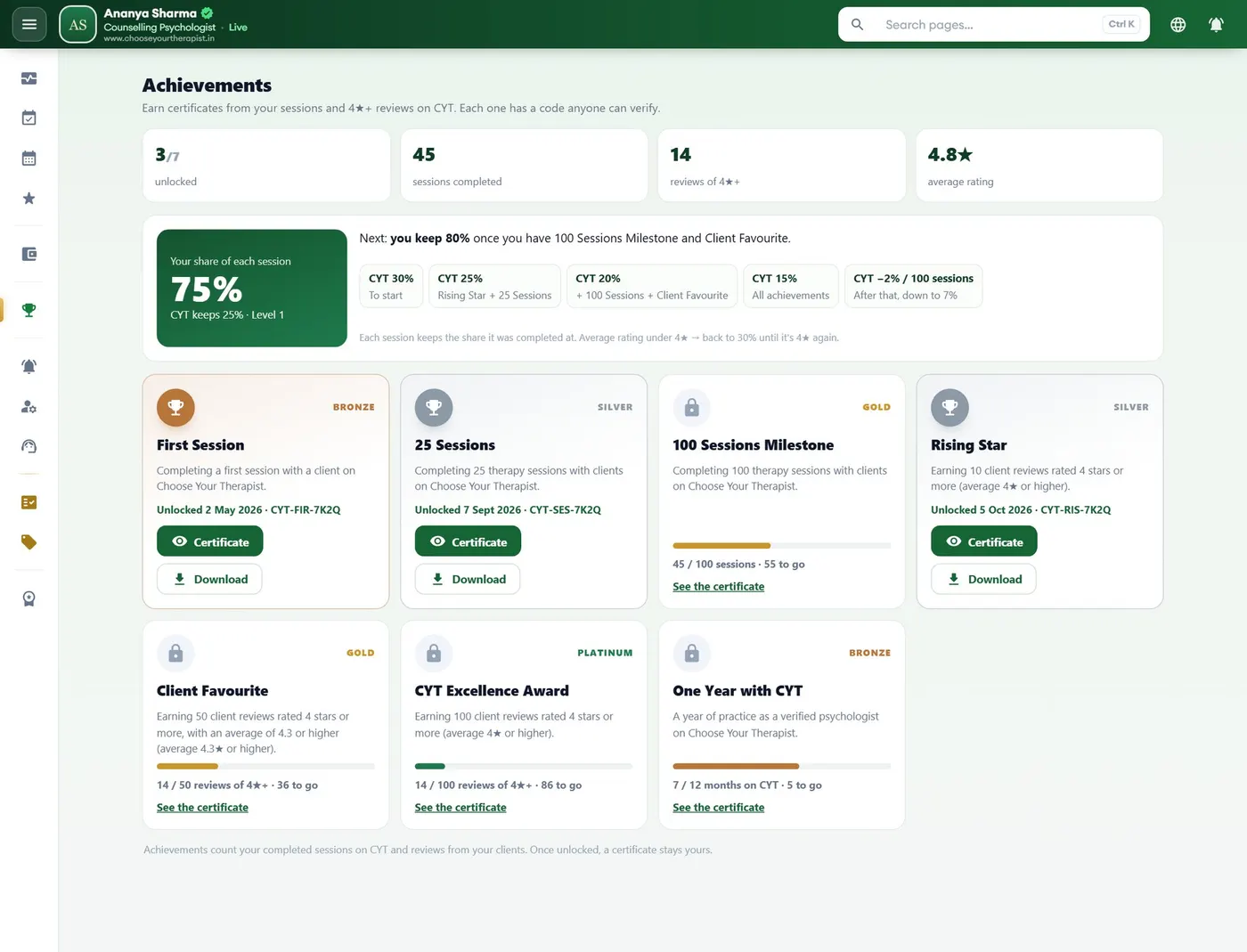
Achievements — and a bigger share

  • Earn CYT awards for sessions completed, 4★+ reviews and a year with CYT
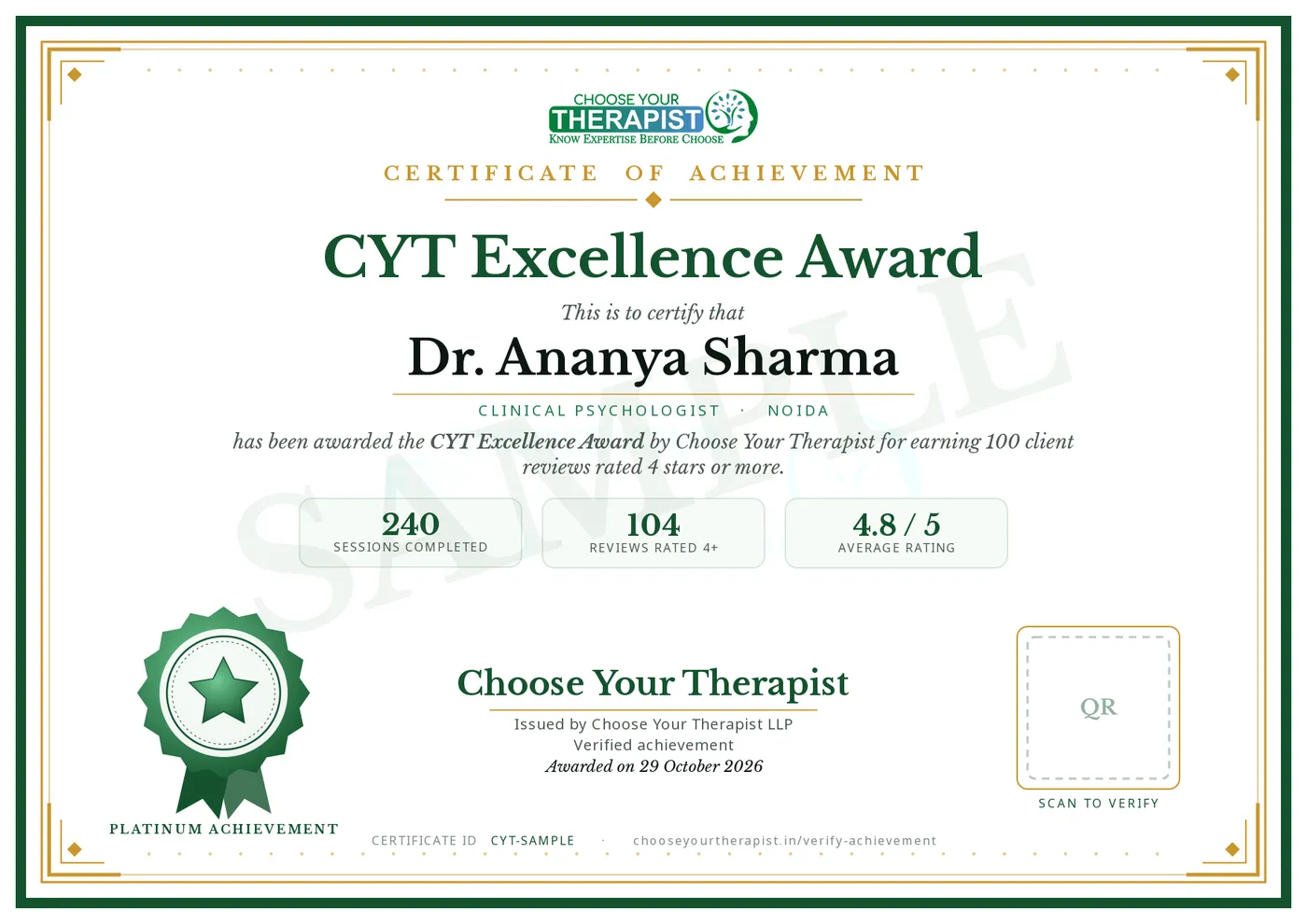
  • Each award comes with a certificate that has a QR code anyone can scan to verify it
  • Achievements move you up the levels, so you keep more of every session fee
Achievements — and a bigger share — Desktop screen (sample data)
Desktop
Achievements — and a bigger share — Certificate (sample)
Certificate (sample)
09

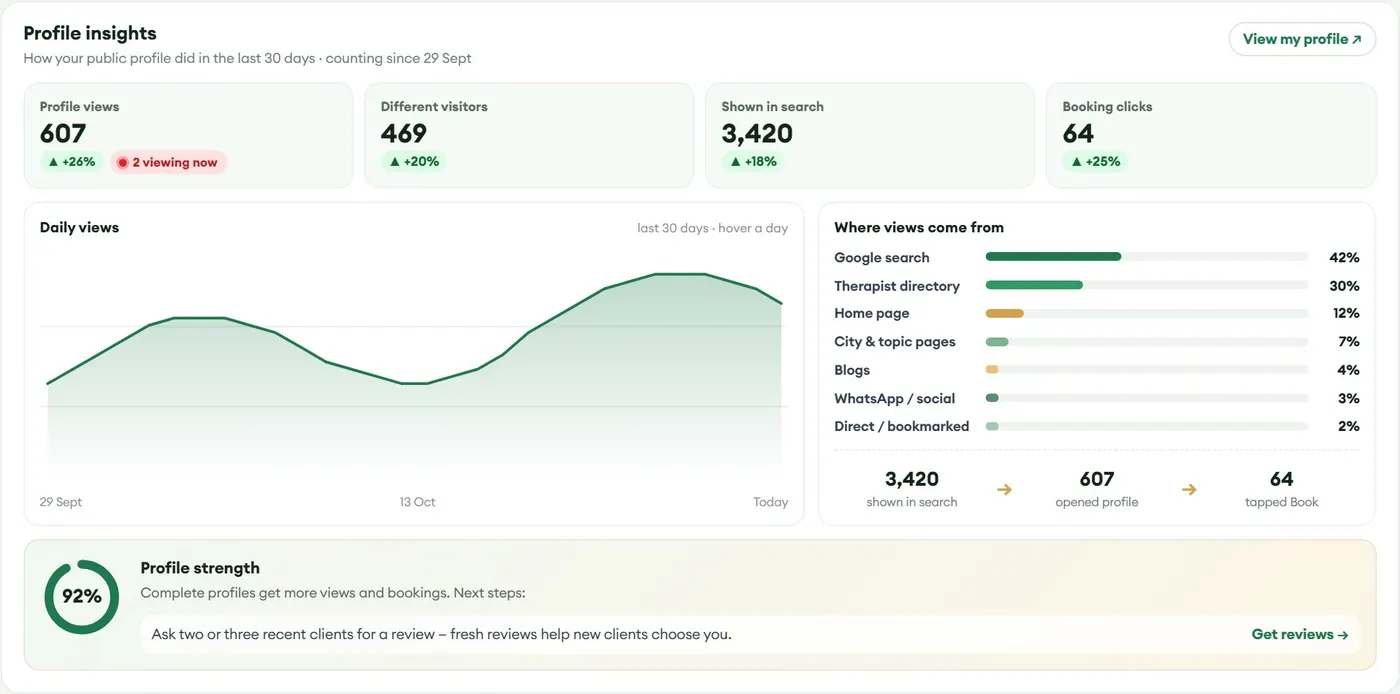
Profile insights

  • How many people viewed your profile, how many different visitors, and how many tapped Book
  • Where they came from — Google, the directory, the home page, your own link or QR code
  • A profile-strength score with tips on what to add next
Profile insights — Desktop screen (sample data)
Desktop
10

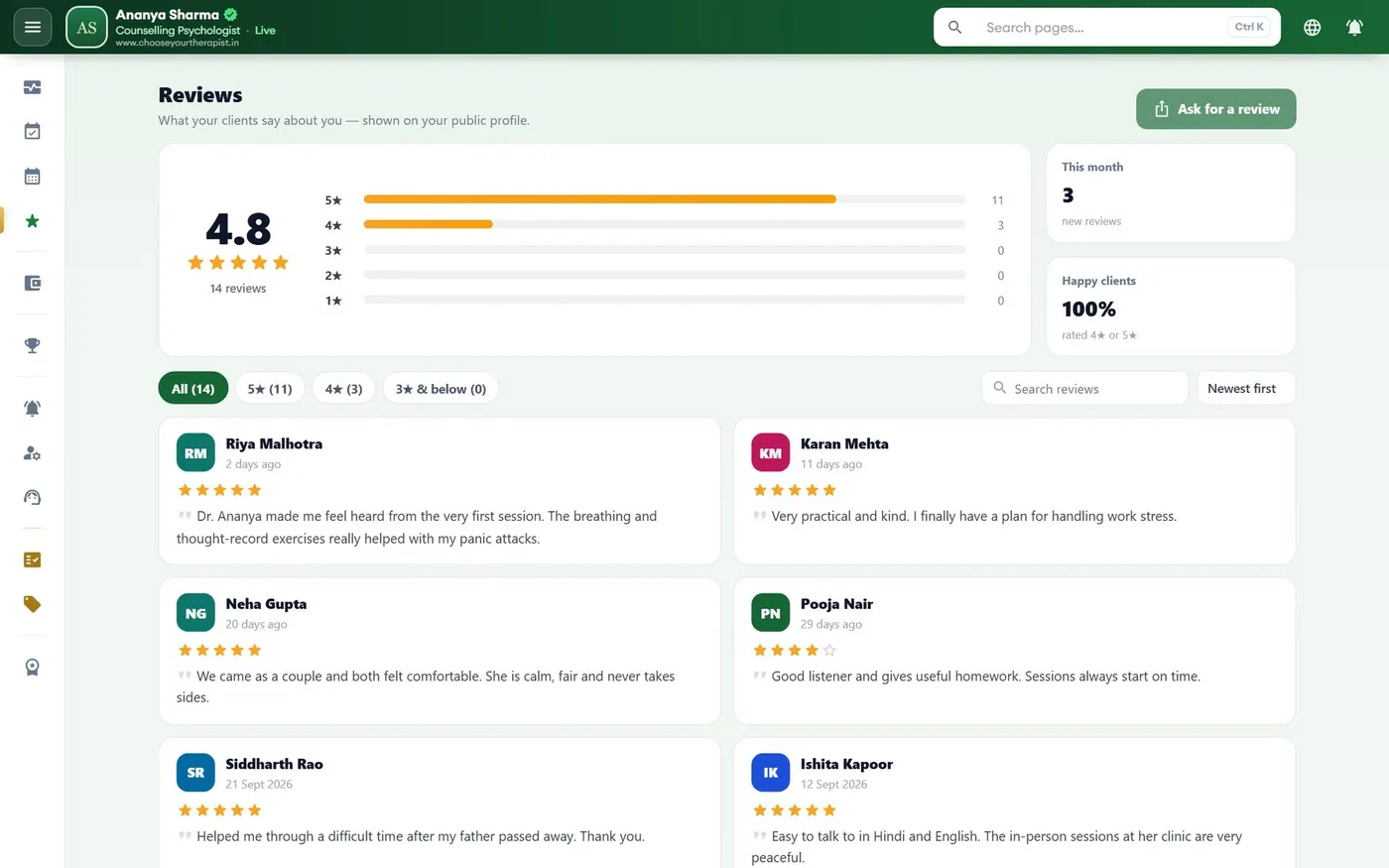
Reviews

  • Your average rating and every review clients left after a session
  • Ask a client for a review with one tap — good reviews raise your level and your place in search
Reviews — Desktop screen (sample data)
Desktop
11

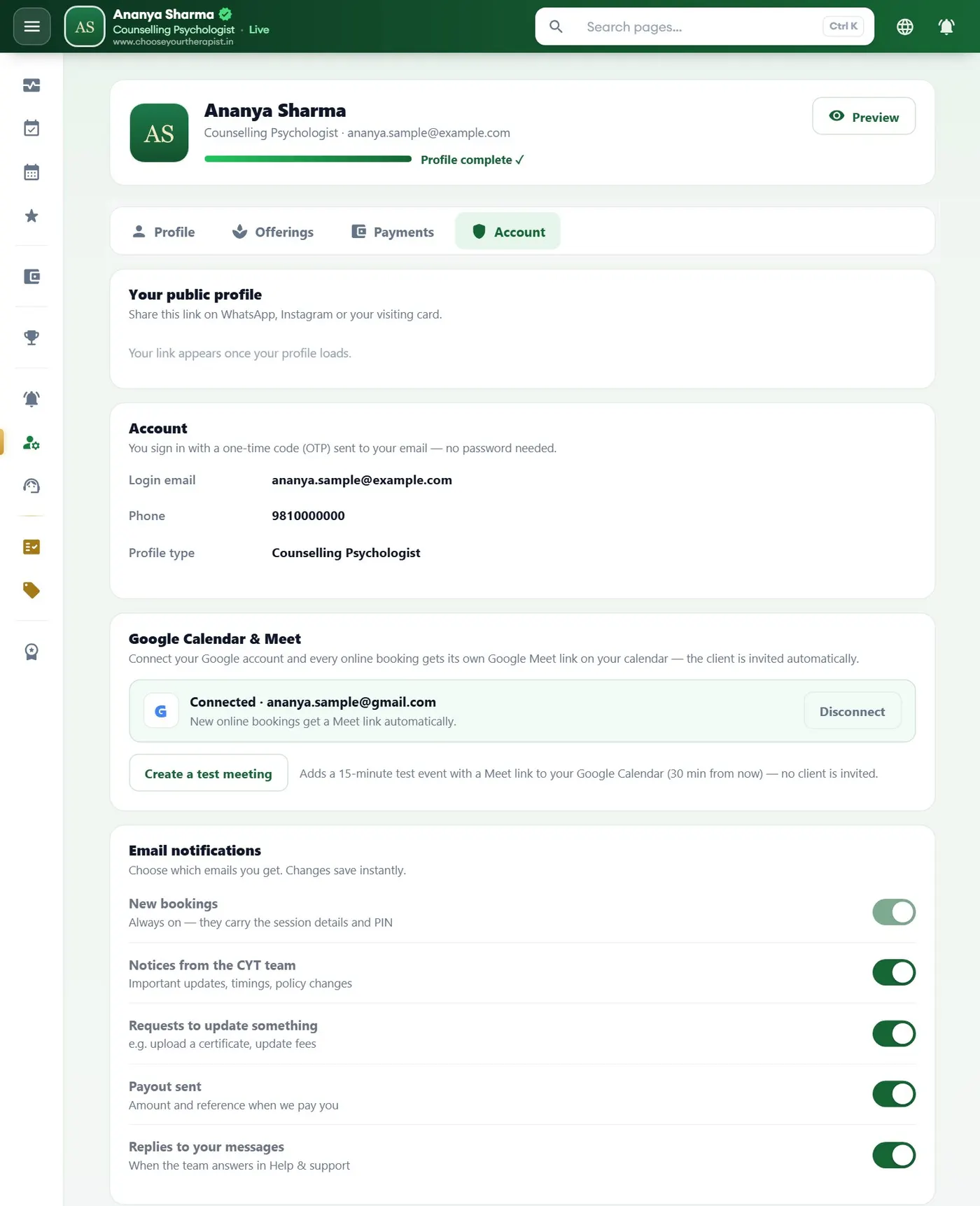
Settings and notifications

  • Connect Google so every online booking gets a Meet link on your calendar automatically
  • Choose which emails and notifications you get, and keep your account details up to date
Settings and notifications — Desktop screen (sample data)
Desktop

Use it like an app — on your phone and iPad

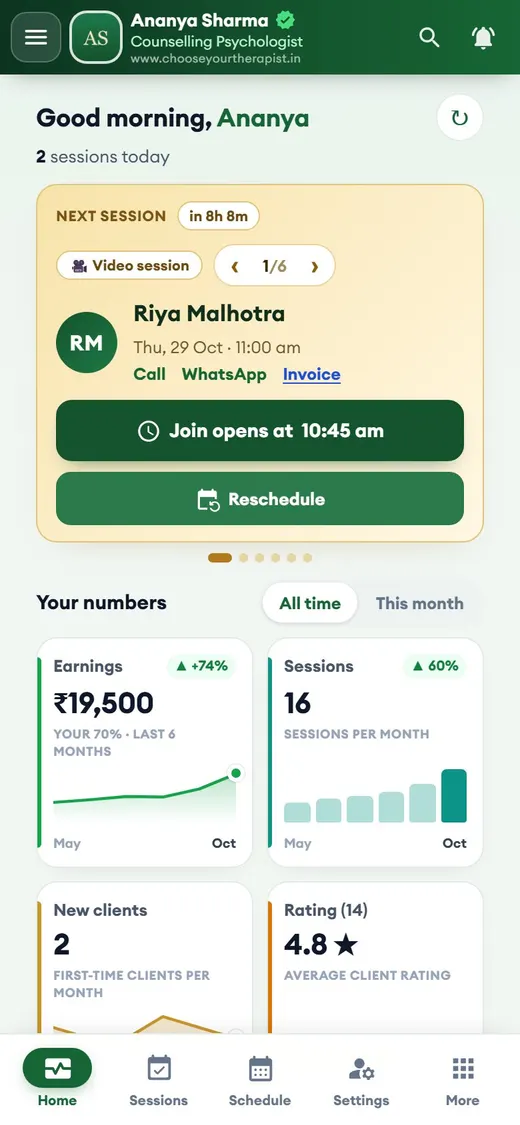
Open your dashboard on a phone or iPad and it works like an app: big buttons and a bottom bar with Home, Sessions, Schedule, Settings and More.

  • Add it to your home screen and open it like any app
  • Your next session, Join and Reschedule right on the first screen
  • Pull down to refresh; everything stays in sync with your desktop
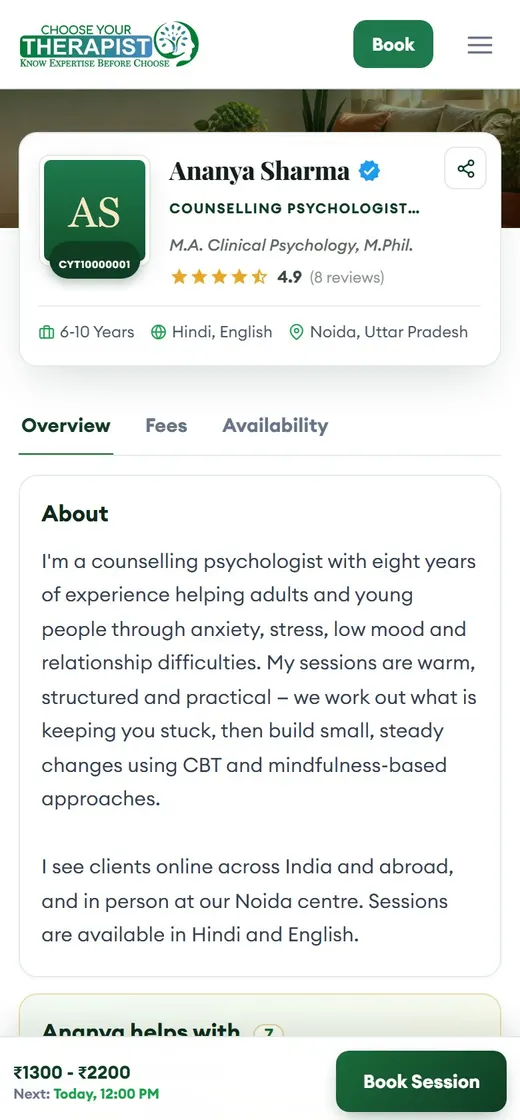
  • Check how your public profile looks to clients on a phone
PayoutsReviewsToolkitAchievementsInsightsMy linkInvoicesHelp
HomeSessionsScheduleSettingsMore
Your dashboard — phone screen (sample data)
Your dashboard
Your profile, as clients see it — phone screen (sample data)
Your profile, as clients see it

More tools in your dashboard

Invoices

An invoice for every paid session, ready to download or send.

Therapist toolkit

Worksheets such as the ABCD model and Activity Diary that clients fill in online.

Your booking link & QR

A short link and a printable QR poster that open your own booking page.

Social posts

Ready-made posts with your name and photo to share on social media.

Google Maps listing

A step-by-step guide to appear when people search “psychologist near me”.

Notices & help

Updates from the CYT team, requests and a help desk inside your dashboard.

Ready to list your practice?

About 5 minutes to apply. Keep your CV and qualification certificate handy. Need help? Call +91 80777 57951.

Start your registration